



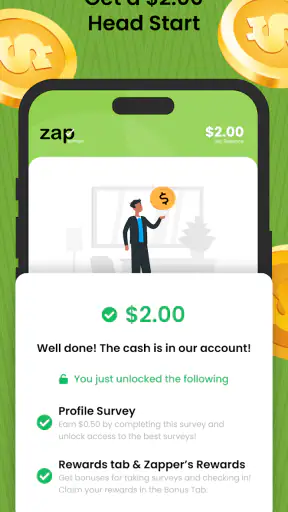
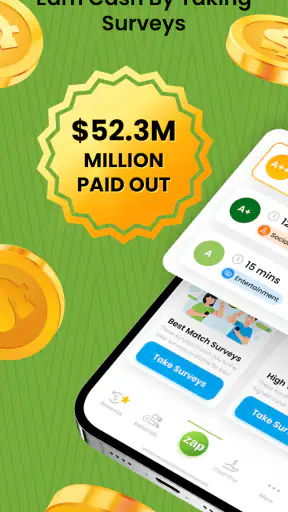
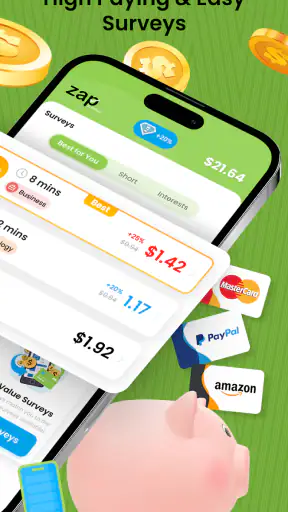
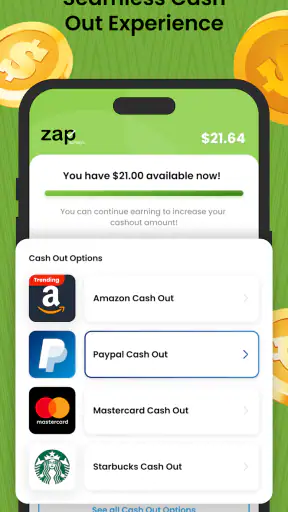
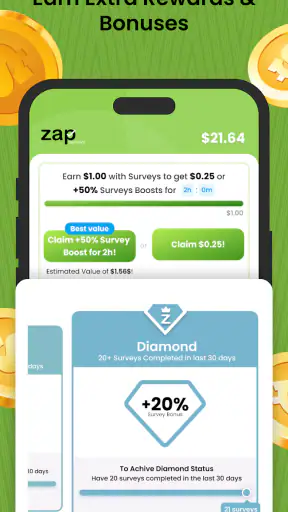
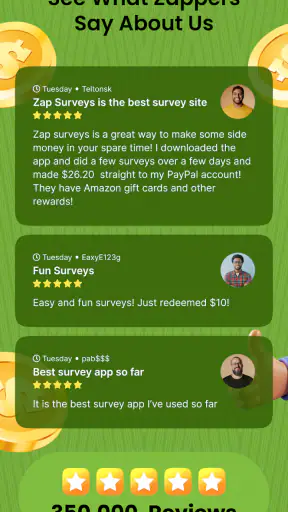
I tried Zap Surveys: Earn Easy Money as a small, practical way to turn spare minutes into rewards, and I found that its appeal is less about making a meaningful income and more about fitting short survey sessions into ordinary routines. It is a free lifestyle app from Zap Surveys, LLC that connects users with paid online questionnaires and offers rewards through gift cards, PayPal, and Visa. That makes it easy to understand from the start: you answer questions, build up a balance, and choose an available payout option when you are ready.
The app makes the most sense in a household where people already share a tablet or occasionally use the same phone, but that kind of arrangement needs clear boundaries. A survey account represents one person’s opinions and eligibility, not a communal household profile. I would not treat it like a shared family wallet or let several people answer under the same identity. My overall impression is positive for patient users who enjoy short, occasional tasks, although anyone expecting predictable earnings or a replacement for regular work should look elsewhere.
How Zap Surveys fits into a shared household
A realistic example would be a family tablet kept in the kitchen. One adult might use it while waiting for dinner to cook, then another household member might pick it up later for a different activity. That setup can work, but I would keep survey use tied to one clearly identified account and one person’s answers. Passing the device around is not the same as sharing a survey profile.
That distinction matters because survey services rely on consistent personal responses. If one person starts a questionnaire and another finishes it, the answers may no longer describe the same participant. Even when the app itself remains usable, the experience becomes confusing: invitations can feel irrelevant, progress may be difficult to interpret, and the household loses track of whose activity produced a reward.
For shared-device use, I would create a simple routine. The account holder should sign in, complete their own surveys, check the balance, and sign out or hand the device back only after closing the session. I would also avoid saving account details where another person can casually open them. This is not about making the app complicated; it is about keeping personal survey information separate from general household use.
The strongest shared-use case is therefore occasional access by one designated adult, rather than several people collaborating on the same account. If two adults in the home both want to participate, separate accounts and separate personal details are the cleaner approach. I would not combine their opinions to reach a payout faster, because that undermines the point of a personal survey service.
What the first session feels like
The basic appeal is immediate. You open the app, look for an available questionnaire, and decide whether the expected reward is worth the time. I like this task-by-task choice because it lets me fit participation around a queue, a commute, or a quiet break instead of committing to a fixed schedule.
Still, the first session requires realistic expectations. A questionnaire can look attractive before opening it and feel less worthwhile once the questions become repetitive or the estimated effort grows. I recommend treating each invitation as an optional micro-task rather than assuming every survey will be a good use of time. The right question is not simply “Can I earn?” but “Is this particular survey worth my next few minutes?”
That mindset is one of the most useful ways to approach the app. It prevents the common mistake of spending too long chasing small rewards that do not fit your day. I would check the available opportunities at natural stopping points, such as after finishing a commute or while waiting for an appointment, instead of repeatedly refreshing the app throughout the day.
Keeping account boundaries clear
Because the app involves personal opinions and cash-like rewards, I would keep its account separate from other household members’ profiles. The person who answers should be the person who understands the questions, makes the choices, and monitors the resulting balance. That is especially important on a shared phone, where it is easy to assume that the last open account belongs to whoever is holding the device.
I would also avoid creating a casual “family survey” habit. One person might know the household’s shopping patterns better, while another knows the travel details or entertainment preferences. Answering on behalf of everyone can make the responses inconsistent and may lead to questionnaires that do not fit the actual participant. For a service built around individual feedback, accuracy is more valuable than speed.
Another practical boundary is payout ownership. If the account belongs to one adult, that person should decide when and how to redeem the balance. A household can agree to use the reward for a shared purchase, but I would not leave the account open for anyone to cash out casually. Keeping the reward decision with the account holder reduces arguments and makes the app easier to manage.
The app is free to install, which lowers the barrier to trying it. That does not mean the user’s time is free, however. I would judge it by the usefulness of the rewards compared with the attention required. A free app can still be a poor bargain if it encourages constant checking or makes a person continue with surveys they no longer enjoy.
Coordinating participation without mixing identities
In a household with several interested users, coordination works best as a schedule rather than a shared login. For example, one person can use the tablet during a lunch break and another can use it later, with each person remaining inside their own account. The important part is not the schedule itself; it is making sure the account switch is deliberate.
I would keep a small note of who owns each account and which device is normally used, without recording sensitive login information in an exposed place. That sounds overly careful for a survey app, but it prevents a surprisingly ordinary problem: one person completes a task under another person’s profile and only notices when the questions become obviously wrong.
It is also useful to agree on when the app should not be used. I would avoid starting a survey while someone else is waiting for the device, while driving, or during a moment when the household needs immediate attention. The rewards are designed for spare time, so the best experience comes from using them when the opportunity cost is low.
For parents and partners, coordination should mean explaining the purpose of the app rather than promising a particular return. I would say that it may provide occasional rewards for answering surveys, but I would not present it as dependable household income. That wording keeps expectations sensible and avoids turning a casual activity into a source of pressure.
Age, trust, and household expectations
The content rating is Everyone, which makes the app broadly approachable from an age-label perspective. I would still treat participation as an adult-managed activity when it involves personal information, account access, and redemption choices. An age label is not the same thing as a recommendation for unsupervised financial use.
For younger household members, I would focus first on privacy and honesty. They should understand that survey answers describe the participant and should not include guesses about another person’s habits. I would also keep control of any payout destination with a responsible adult. The app may be easy to open, but the surrounding decisions deserve more care than the simple interface suggests.
Trust matters on shared devices as well. I would not let a child or guest use an adult’s already-open account, even for a quick questionnaire. The issue is not only the reward balance; it is also the personal profile created by the answers. A household that treats account access casually may eventually struggle to tell which responses came from whom.
My approach would be to establish three simple rules: each participant uses only their own account, no one answers for someone else, and the account holder handles rewards. These rules do not require special family controls or complicated technology. They simply make the app’s individual nature fit more comfortably into a shared home.
Where it beats ordinary alternatives
The usual alternatives in this category are cashback services, receipt-reward tools, loyalty programs, and other survey apps. Zap Surveys has a different rhythm from cashback: it asks for opinions rather than requiring a purchase first. That can be an advantage for someone who wants to participate without changing shopping habits.
Compared with receipt apps, it may feel more active because the reward comes from answering questions instead of photographing transactions. I prefer that when I have a few uninterrupted minutes, but receipt tools can be better for people who already keep receipts and do not want to answer long questionnaires. The better choice depends on whether your spare resource is attention or shopping history.
It also differs from loyalty programs because the reward is not primarily tied to one retailer or brand relationship. That makes it more flexible for casual use, although it also means the user must actively look for suitable survey opportunities. Someone who wants automatic savings during normal purchases may find a cashback or loyalty app less demanding.
Against other survey services, the practical comparison is not just the advertised reward. I would look at how often the available tasks fit my profile, how clearly the app explains the reward, and how convenient the redemption choices are for my household. The presence of gift cards, PayPal, and Visa gives the reward system several familiar directions, which is useful when different members of a home prefer different ways to spend.
That flexibility does not remove the central trade-off: the user exchanges time and attention for modest, task-based rewards. If you dislike repetitive questions, screen-based spare-time activities, or uncertain availability, a passive savings tool may suit you better. If you enjoy answering opinion questionnaires and can stop easily when a task is not worthwhile, this app is a more natural fit.
Small habits that improve the experience
My first practical tip is to set a personal stopping point before beginning. I would decide that I am only using a short break, then stop when that break ends rather than letting one survey expand into a much longer session. This protects the app from taking over the day and makes the reward feel like a bonus instead of a commitment.
Second, I would read the opening questions carefully before investing too much effort. Survey eligibility can depend on the participant’s background or habits, so rushing through the first section is counterproductive. Thoughtful, consistent answers are more sensible than trying to guess what the questionnaire wants to hear.
Third, I would keep redemption planning in mind from the beginning. Since rewards can be received through gift cards, PayPal, or Visa, I would choose the option that matches how I already manage small balances. A household that prefers digital payments should not let a balance sit simply because the account holder never decided which reward route was most convenient.
Fourth, I would review the account after a shared-device session. Confirming that the correct person is still signed in and that the balance belongs to the right account takes very little time. This is one of those unglamorous habits that prevents more trouble than it creates.
Finally, I would compare the app with my own alternatives rather than with an imagined hourly wage. If I am choosing between answering a short survey and scrolling aimlessly, the app may be worthwhile. If I am choosing between it and paid freelance work, study, rest, or time with family, the calculation changes completely.
Performance, maturity, and everyday usability
The app was released on January 4, 2019, and its current version is 4.06.00. It supports devices running Android 5.0 or later, so compatibility reaches back to older Android hardware. That is helpful for a household tablet that is no longer used as a primary phone, although an older device may make typing and switching accounts less comfortable than on a newer screen.
Its scale also suggests that this is not an obscure experiment: the app has more than a million installs, with an average rating of 4.3 from roughly 166 thousand ratings and about 20 thousand written reviews. I see that as useful context rather than a guarantee. A large user base can indicate that the basic concept works for many people, but it cannot tell me whether every survey will suit my schedule or whether every household will manage shared access well.
The developer, Zap Surveys, LLC, has kept the product focused on its central lifestyle use: completing paid surveys in spare time. I appreciate that narrow purpose because it is easy to understand. At the same time, the focused design means the app is not a complete personal-finance system, budgeting tool, or guaranteed earning platform. I would use it alongside normal money habits, never in place of them.
Who should use it, and who should skip it
I would recommend Zap Surveys to an adult who wants an uncomplicated way to explore paid questionnaires, has realistic expectations about small rewards, and can keep personal account use separate on a shared device. It is particularly suitable for people who already have short waiting periods in their day and do not mind answering questions about their opinions or habits.
It can also work for a couple or household that agrees on clear ownership. One person may participate while the other simply shares the device, or several adults may participate through separate accounts. In both cases, the arrangement succeeds when everyone understands that the answers and balance belong to the individual account holder.
I would skip it if you need predictable income, dislike surveys, or tend to continue with low-value tasks because you have already started them. I would also choose a different category if my main goal were automatic savings. Cashback and loyalty tools are better when I want rewards to follow purchases without spending additional time answering questions.
People who are especially protective of shared-device privacy should think carefully before using any rewards app on a communal screen. The solution is not necessarily to avoid the app, but to use a personal device or establish stricter account habits. If that feels like too much administration for small rewards, the app may not be worth the friction.
My household verdict
After looking at the app through a shared-home lens, I see it as a useful optional activity rather than a household earning engine. Its free price, familiar reward routes, and straightforward survey model make it easy to test. The strongest results will come from treating each questionnaire as a small choice, not as an obligation or a promise of steady money.
I like it most for one clearly identified adult using short, otherwise unproductive gaps in the day. I am less enthusiastic about a single account being passed among family members, because that blurs personal answers, account ownership, and reward responsibility. Separate users should keep separate profiles, and younger household members should have adult guidance around privacy and payouts.
My final recommendation is simple: try it if you enjoy surveys and can protect your time, but decide in advance how the account will be used and who controls the rewards. The app works best when the boundaries are clearer than the expectations. Used that way, it can turn occasional spare minutes into a modest, flexible benefit without creating unnecessary confusion at home.


